• Picasso AI Logo
    Logo Picasso IA
  • Home
  • AI Image
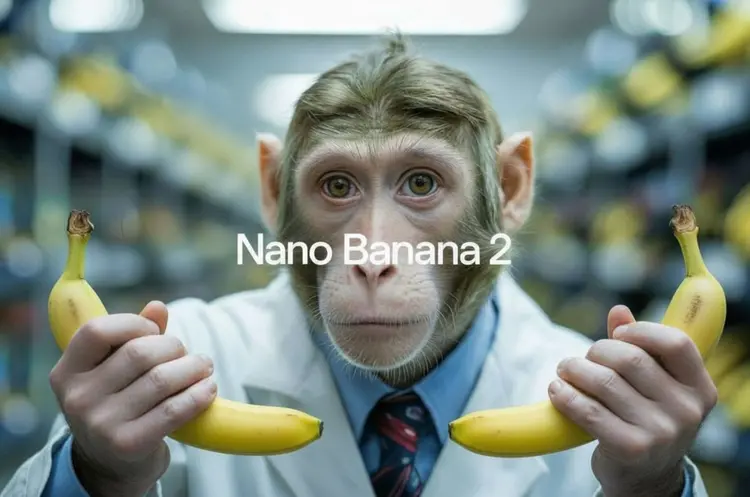
    Nano Banana 2
  • AI Video
    Veo 3.1 Fast
  • AI Chat
    Gemini 3 Pro
  • Edit Images
  • Upscale Image
  • Remove Background
  • Text to Speech
  • Effects
    NEW
  • Generations
  • Billing
  • Support
  • Account
  1. Collection
  2. Text to Image
  3. Nano Banana 2

CreditsUpgrade

nano-banana-2 by Google – Fast Text-to-Image AI

nano-banana-2 is Google's fast text-to-image model built for people who need results quickly without sacrificing quality. Whether you're a freelancer mocking up a concept or a marketer pulling together visuals for a deadline, you type a description and get a finished image — no software to install, no technical background required. What sets it apart is how it handles complexity. You can feed it up to 14 reference images at once and it blends them into a single coherent output, keeping characters and visual styles consistent across generations. It also connects to Google Search in real time, so if you're generating something tied to current events, live scores, or trending topics, the model pulls in fresh context automatically — not stale training data. In practice, this means you can have a back-and-forth with the model the same way you'd chat with a designer. Ask for a change, describe a new angle, swap a background — and it follows along without losing the thread of what you built before. If you've been settling for generic stock photos, this is a straightforward way to get something made specifically for your project. Give it a prompt and see what comes back.

Official

Google

3.36m runs

Nano Banana 2

2025-11-20

Commercial Use

nano-banana-2 by Google – Fast Text-to-Image AI
Table of contents
  • Overview
  • How It Works
  • Key Features
  • Frequently Asked Questions
  • Credit Cost
  • Use Cases
  • Examples
Get Nano Banana Pro

Overview

nano-banana-2 is Google's fast AI text-to-image generation model built for users who want high-quality visuals without waiting around or writing a single line of code. It solves a real pain point: the frustrating gap between having a clear creative vision and being able to produce a polished image from it. Whether you are designing social media content, prototyping a product concept, or just experimenting with a visual idea, this model responds to plain-language descriptions and iterates with you conversationally. On Picasso IA, you can run nano-banana-2 directly in your browser, no coding required, and see instant results within seconds of hitting generate.

How It Works

  • Write a text prompt: Describe the image you want in everyday language. You can be as specific or as open-ended as you like — the model handles both detailed scene descriptions and loose creative concepts.
  • Adjust your settings: Before generating, you can dial in parameters like aspect ratio, style direction, or the number of output images to match your exact use case.
  • Submit and receive your image: The model processes your prompt at high speed and returns a finished image, typically within a few seconds, ready for you to view and download.
  • Iterate conversationally: Not quite right? Refine your prompt using natural follow-up language. The model retains context from your previous inputs, so you can say "make the background warmer" or "add a person in the foreground" without starting over.
  • Fuse multiple inputs: You can supply more than one reference image or concept and let the model blend them into a single cohesive output, which is especially useful for mood boards or composite visuals.

Key Features

  • Conversational editing workflow: Adjust your output through natural follow-up prompts rather than rebuilding from scratch each time, saving significant iteration time on creative projects.
  • Multi-image fusion: Combine elements from several images or descriptions into one unified result, giving you precise creative control over complex visual compositions.
  • Character consistency across generations: When you need a recurring character or subject to look the same across multiple images, the model holds visual identity stable between outputs.
  • Fast generation speed: Outputs arrive in seconds rather than minutes, which keeps your creative momentum intact and makes rapid prototyping genuinely practical.
  • No coding required: The entire experience runs through a clean interface, meaning anyone with a browser and an idea can produce professional-grade imagery without technical background.
  • Flexible output customization: Adjust dimensions, style weight, and generation parameters to match the format your project actually needs, from square social posts to widescreen concept art.

Frequently Asked Questions

Do I need programming skills or technical knowledge to use this? No — just open nano-banana-2 on Picasso IA, adjust the settings you want, and hit generate. The interface is built for anyone who has an idea and wants to see it visualized, regardless of technical background.

Is it free to try? Yes, you can run nano-banana-2 without paying upfront. Free access lets you test the model, experiment with prompts, and get a real feel for its output quality before committing to anything. Check the current plan details on your account page for specifics on generation limits.

How long does it take to get results? Most generations complete within a few seconds. The exact time can vary slightly depending on your prompt complexity and current server load, but the model is specifically optimized for speed, so you are rarely waiting more than ten seconds for a result.

Can I customize the output quality or style? Absolutely. You can adjust parameters like aspect ratio, style direction, and output resolution before generating. The conversational editing feature also lets you refine style, mood, lighting, and composition through follow-up prompts after you see the first result.

What output formats are supported? Generated images are available for download in standard formats compatible with design tools, presentation software, and publishing platforms. The outputs are clean, high-resolution files you can drop straight into your workflow.

Where can I use the outputs? Images you generate are yours to use for personal projects, commercial work, content creation, and prototyping. Always review the usage terms associated with your account tier to confirm what applies to your specific use case.

What happens if I am not happy with the result? Simply refine your prompt and run it again. The conversational editing feature means you do not have to start from zero — you can give the model specific direction like "make it more dramatic" or "shift the color palette to blues" and generate a revised version instantly. Iteration is fast and costs nothing extra within your plan's generation allowance.

Start creating right now by running nano-banana-2 and turning your next visual idea into a finished image in seconds.

Credit Cost

The credit cost for this model varies based on the settings you choose. Below are the costs per configuration:

ConfigurationCredits
1K1.4per image
2K2.1per image
4K3.1per image

Use Cases

Describe a product in text and generate a clean 4K image on a white background ready for an e-commerce listing.

Upload photos of two different outfits and ask the model to blend them into a single styled look for a fashion concept board.

Type a prompt referencing today's weather or a live sports event and get a generated scene that reflects real-time conditions.

Build a character in the first generation, then refine the hairstyle, clothing, and background through follow-up text instructions without losing the original look.

Feed in a brand logo and a product photo, then prompt the model to create a social media banner at 9:16 that incorporates both assets.

Generate 4:3 thumbnail variations for a blog post by changing only the background and mood description between each prompt.

Use image search grounding to generate a realistic cityscape of a location you've never visited, with the model referencing actual photos of that place.

Examples

An isometric 3D miniature diorama of a cozy Japanese ramen shop at night. Warm light spills from the entrance. Tiny detailed figures sit at the counter. Steam rises from bowls of ramen. Rain puddles reflect neon signs on the street. Tilt-shift photography effect.
24.8s
View Example
A 3-panel comic strip in a clean, modern cartoon style. Panel 1: A programmer stares at their screen with a confused expression, coffee cup in hand. Panel 2: The programmer's eyes widen as they spot the bug. Panel 3: The programmer celebrates with arms raised, confetti falls, and the screen shows a green checkmark. Caption at the bottom reads 'THE DEBUGGING EXPERIENCE'.
25.2s
View Example
Transform this photograph into a Studio Ghibli anime style illustration. Keep the same composition but render everything with soft cel-shading, warm colors, and the dreamy atmosphere of a Miyazaki film.
Input
Input 1
Output
Transform this photograph into a Studio Ghibli anime style illustration. Keep the same composition but render everything with soft cel-shading, warm colors, and the dreamy atmosphere of a Miyazaki film.
27.8s
View Example
A modern minimalist logo for a sustainable coffee brand called 'EVERGREEN ROASTERS'. The logo features a stylized coffee leaf integrated with a coffee bean. Clean geometric lines, forest green and cream color scheme. White background.
20.2s
View Example
A watercolor painting of a Venetian canal at dawn. Gondolas are moored along weathered stone walls. Soft pastel reflections shimmer on the water. Loose, expressive brushstrokes with visible paper texture. Warm golden and cool blue tones.
23.9s
View Example
A cinematic wide shot of a lone astronaut standing on the surface of Mars, looking up at Earth visible in the dusty orange sky. Dramatic rim lighting from the setting sun creates a silhouette. Sci-fi atmosphere, photorealistic. Anamorphic lens flare.
22.0s
View Example
A scientifically accurate cross-section infographic of the human eye, with clean labels pointing to the cornea, iris, pupil, lens, retina, and optic nerve. Modern flat design style with a dark navy background and bright accent colors. Title reads 'ANATOMY OF THE HUMAN EYE' in a clean sans-serif font at the top.
21.3s
View Example
A kawaii-style sticker of a happy red panda wearing a tiny bamboo hat, munching on a green bamboo leaf. Bold clean outlines, simple cel-shading, vibrant color palette. White background.
20.0s
View Example
A photorealistic close-up portrait of an elderly Japanese ceramicist with deep wrinkles and a warm smile, carefully inspecting a freshly glazed tea bowl in his rustic sun-drenched workshop. Soft golden hour light streams through a window, highlighting the texture of the clay. Shot with an 85mm portrait lens, shallow depth of field with creamy bokeh.
24.0s
View Example
Anime character design, full color, concept sketch against white. Just the characters, no other sketches or words. A young adult man and woman on their phones, sitting cross legged, back to back. Pick interesting fashion choices, hair style and unusual footwear.
22.6s
View Example
a golden retriever puppy playing in autumn leaves, warm sunlight
24.7s
View Example

Switch Category

Effects

Text To Image

Text To Image

Text To Video

Large Language Models

Large Language Models

Text To Speech

Text To Speech

Super Resolution

Super Resolution

Lipsync

AI Music Generation

AI Music Generation

Video Editing

Speech To Text

Speech To Text

AI Enhance Videos

Remove Backgrounds

Remove Backgrounds